Does Incognito Mode Hide Porn?What It Hides and From Whom
Image created using advanced AI technology, professionally refined by Private Eye Blog editorial team.
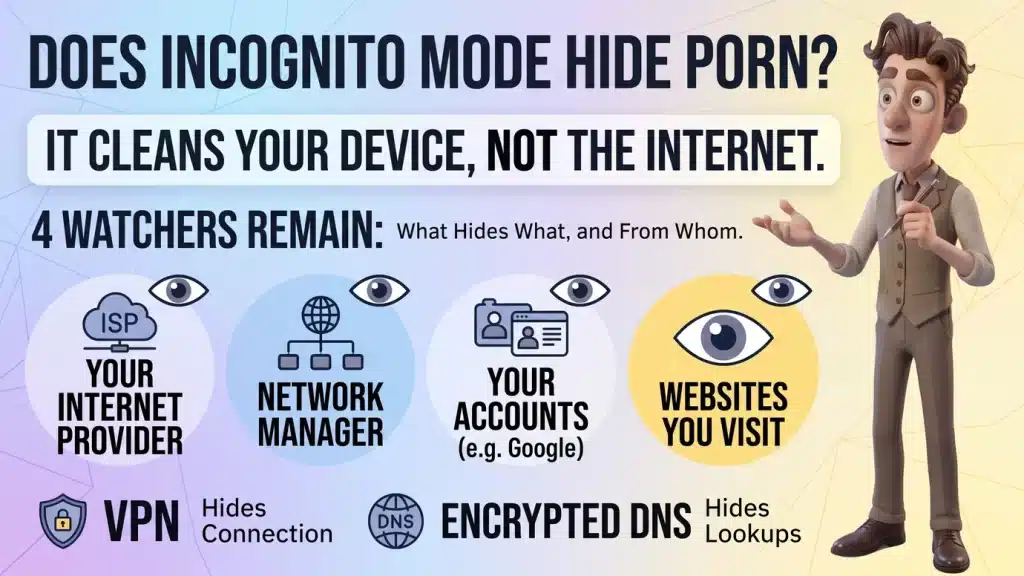
Incognito cleans up your device, not the internet. Here is exactly what it deletes, who can still see your night, and a five-minute setup that covers most of the gaps.
4
Watchers
3
Browsers
5
Minute Setup
1
Summary Table
Section 01
What does incognito mode actually delete?
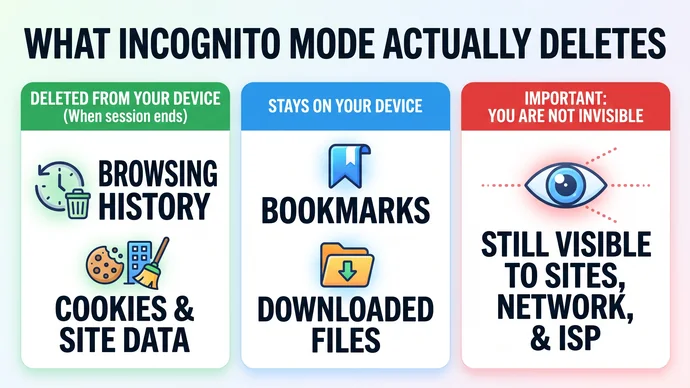
Incognito deletes what your browser would normally keep on your own device: the history of sites you visited, and the cookies and site data from that session. It does that when you close the private session, not while you are still browsing.
Quick Definition
Incognito (Chrome), Private Browsing (Safari) and Private Windows (Firefox) are the same idea: a separate session that leaves no browsing history or cookies on the device once you close it. None of them makes you invisible to the sites you visit or to your network.
The three big browsers describe it almost the same way on their own help pages. Chrome says it doesn't retain site data or a record of the sites you visited after the Incognito session ends. Firefox deletes the browsing history, cookies and site data when you close the last Private Window. Safari doesn't save the pages you visit or your AutoFill information.
Downloaded files survive in all three, and Chrome and Firefox say the bookmarks you save stay too. A file you save during a private session stays on your computer until you delete it, even if it doesn't show up in the browser's downloads list.
One more detail matters on a shared computer. In Chrome, the session only ends when every Incognito window is closed, so one forgotten window keeps everything alive.
What a private window cleans up and what it leaves behind
Section 02
Who can still see what you watch?
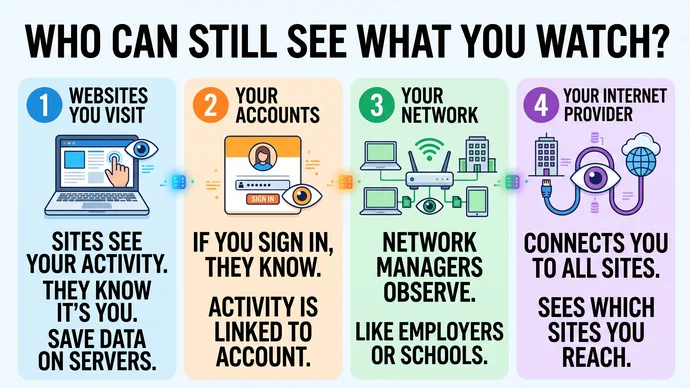
Four watchers can still see some of your night in incognito: the sites you visit, your accounts, your network and your internet provider. Incognito only removes the fifth one, the next person who opens your browser.
Chrome's own help page puts it plainly: websites you visit, including Google sites, and organizations that manage your network, like a school, employer or internet service provider, may be able to observe your activity in Incognito. Firefox adds that a Private Window doesn't hide your IP address or your location.
1. The sites themselves
A porn site sees your visit whether the window is private or not. It sees your IP address, what you click and what you play, and it keeps whatever it keeps on its own servers. Incognito only stops that information from being saved in your browser.
2. Your accounts
If you sign in during a private session, the service knows it's you. Firefox's help page puts it plainly: once you sign in, anything you do while signed in is attached to your account, so signing in undoes most of what incognito is for.
3. Your network
Whoever runs the network you are on, like a shared home router, an office or a campus, sits between your device and the internet. Private browsing doesn't change what passes through their equipment.
4. Your internet provider
Your provider connects you to every site you open, so it can see which sites you reach unless you add a tool on the network side. It is the watcher most people never think about.
Four watchers that incognito does not remove
Section 03
What do your router and your internet provider see?
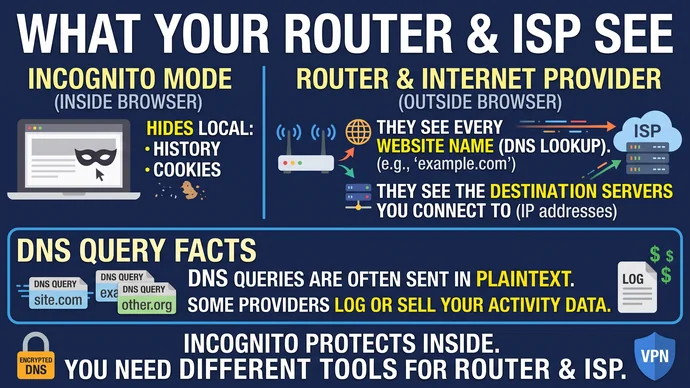
Your router and your internet provider can see which sites you connect to, even in incognito, because every visit starts with a lookup they can read. The page content is usually encrypted; the name of the site often isn't.
That lookup is called DNS. Cloudflare's documentation describes it simply: before your device opens a site, it asks a DNS resolver where that site lives. By default, most devices use the resolver run by your internet provider.
Cloudflare's page adds two facts worth knowing. Some providers and third-party DNS services log those queries or sell data about your activity. And DNS queries are typically sent in plaintext, so anyone on the network path between you and the resolver can see every site you visit, even when the pages themselves are encrypted.
Here is what each point on that path can read during a normal private session.
Where
What it can see
What changes it
Your router
The sites your devices look up, if DNS isn't encrypted
Encrypted DNS or a VPN on your device
Your internet provider
The sites you look up through its resolver, plus the servers you connect to
Encrypted DNS hides the lookups; a VPN hides the destinations
The site you open
Your visit, your IP address, what you watch
Nothing on your side, only signing out and your own choices
The takeaway is simple: incognito works inside the browser, while your router and provider work outside it. You need a different tool for each side.
The lookup your router and provider can read
Section 04
Do a VPN or encrypted DNS close the gap?
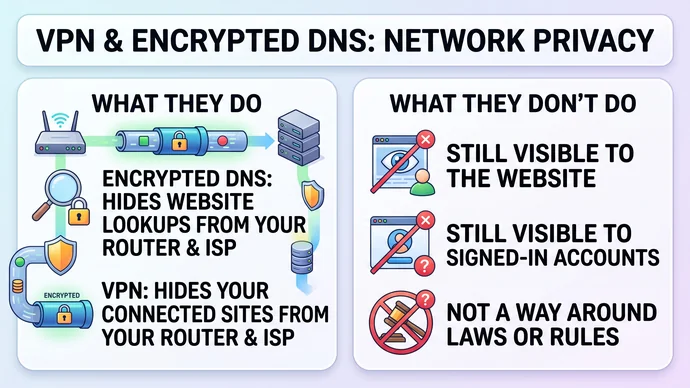
They close part of it. Encrypted DNS hides your lookups from the router and the provider, and a VPN hides where you connect from them too. Neither one hides you from the site you are watching or from an account you are signed into.
Encrypted DNS
Chrome has a setting called Use secure DNS, and its help page says it is turned on in automatic mode by default. In that mode Chrome falls back to unencrypted lookups if it has trouble; if you pick a custom provider, it won't fall back. On managed devices or with parental controls turned on, Chrome's secure DNS isn't available.
Cloudflare's free 1.1.1.1 resolver supports encrypted DNS. Its privacy page commits to not selling users' data and to deleting the shortened IP addresses it logs within 25 hours.
VPN
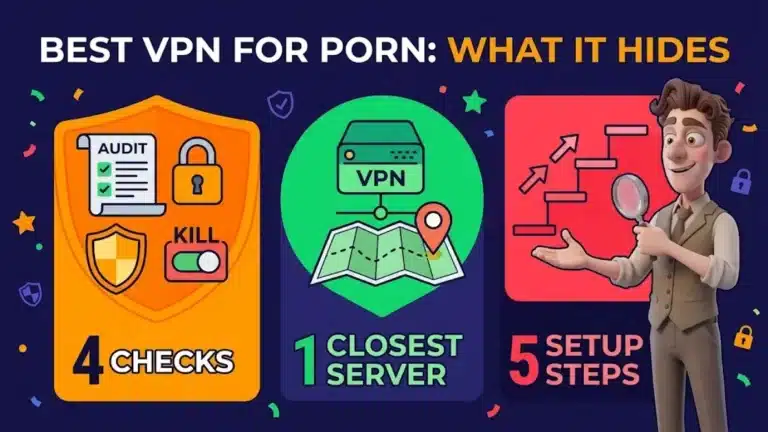
A VPN sends all of your traffic through an encrypted tunnel, so your router and provider see a connection to the VPN, not the sites behind it. Firefox's help page suggests a VPN when you want your location harder to trace, which a private window alone doesn't do.
The trade is that the VPN company now carries the traffic your provider used to see. Read its privacy policy before you trust it with your night, and what a VPN's own pages should show you lists what to look for.
What these tools are not for
Encrypted DNS and VPNs protect your privacy on the network. They are not a way around age checks, local laws or anyone else's rules, and this guide doesn't cover that use.
Encrypted DNS hides the lookup, a VPN hides the route
Section 05
How do you set up a private night in 5 minutes?
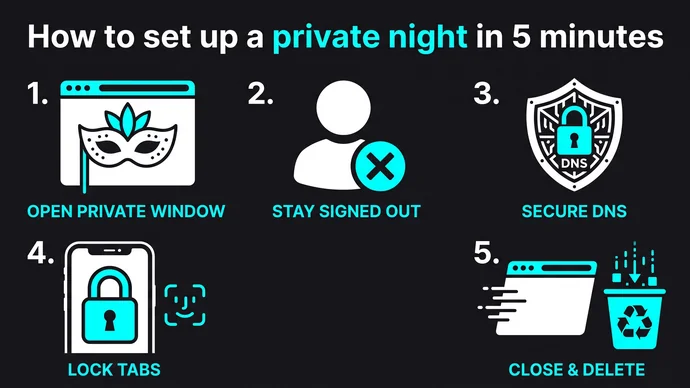
You set it up with 5 steps: two settings you change once, and three habits that become a quick routine every night. It is the same device and privacy step from the Private Eye Blog Method for planning your night, written out in full.
The 5-minute private setup
Open a private window with the shortcut. In Chrome it is Ctrl + Shift + N on Windows or ⌘ + Shift + N on a Mac; in Safari on a Mac, File, then New Private Window.
Stay signed out inside it. Don't log into Google or any other account in the private window, or that account records the session.
Check secure DNS. In Chrome, go to Settings, Privacy and security, Security, and look for Use secure DNS under Advanced.
Lock private tabs on your phone. On an iPhone with a passcode, Safari can require Face ID, Touch ID or the passcode to unlock Private Browsing.
Close every private window when you are done, then delete any file you downloaded and don't want kept.
Steps 3 and 4 you set once and forget. Steps 1, 2 and 5 are the nightly routine: open a private window, stay signed out, and close everything when you are done.
Two settings once, three habits every night
Section 06
What hides what, in one table?
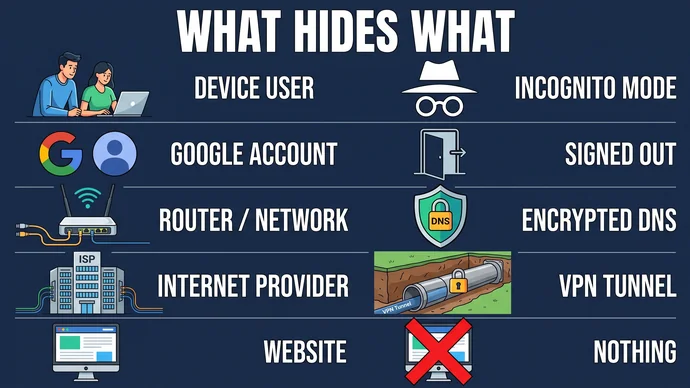
The short answer: incognito hides your night from people using your device, encrypted DNS and a VPN hide it from your network and provider, and nothing on your side hides it from the site itself. This table puts every watcher next to the tool that covers it.
Who is watching
What hides it
What still gets through
Someone using your device
Incognito, then closing every private window
Downloaded files and bookmarks you saved
Your Google or other account
Staying signed out in the private window
Anything you do after signing in
Your home router or Wi-Fi
A VPN; encrypted DNS covers the lookups only
That you connect to a VPN
Your internet provider
A VPN; encrypted DNS covers the lookups only
That you connect to a VPN
The site you watch
Nothing on your side
Your visit and what you play
Which mistakes undo it?
Most leaks come from small habits, not from the tools. These are the ones to drop.
Mistake
Do this instead
Signing into Google in the private window
Keep accounts in your normal window, watch signed out
No. Incognito only cleans up your device; your router and your internet provider can still see the sites you look up unless your DNS is encrypted or you use a VPN. On a network someone else manages, like an office, a school or a family router, that network's rules apply, so follow them.
Can Google see what I watch in incognito?
Partly. If you stay signed out, your activity isn't saved to your Google Account. Chrome's help page still notes that sites that use Google services share activity with Google, signed in or not.
Can my internet provider see incognito browsing?
Yes, it can see which sites you connect to. Encrypted DNS hides the lookups, and a VPN hides the destinations from your provider.
Do downloads disappear when I close the private window?
No. Chrome, Firefox and Safari all keep downloaded files on your device, so delete them yourself before you close the session.
Does private browsing on an iPhone lock?
Yes, if your iPhone has a passcode. Safari locks Private Browsing when you are not using it, and you unlock it with Face ID, Touch ID or the passcode; the option is in Settings, then Apps, then Safari.
Section 08
Key Takeaways
Incognito is a good first layer, as long as you know it stops at the edge of your device.
Remember
Incognito cleans your device, not the internet: history and cookies go, downloads and bookmarks stay.
4 watchers remain: the sites, your accounts, your network and your internet provider.
Stay signed out in the private window, or your account records the session.
Encrypted DNS and a VPN cover the network side; nothing on your side hides you from the site itself.
Privacy handled, now the good part: pick a place to watch from the best porn sites in the PornPlanner directory, grouped by category, and open one tab instead of forty.
US-based web developer and creator of PornPlanner.com. Every part of the site is built and maintained with usability, speed and reliability in mind — code first, hype never.
Curated by experts and updated regularly — our directory covers free porn tubes, premium porn sites, live cams, AI porn and dozens of other categories.