Image created using advanced AI technology, professionally refined by the PornPlanner editorial team.
What XVideos Red adds to the free site, what its terms say about price, renewal and refunds, and the exact way to cancel. Each point is taken straight from Red's own pages and terms as they stood in October 2026, so you can check it yourself.
4K
Top Resolution Listed
7
Days' Notice Of A Price Change
30
Days To Report A Billing Error
3
Steps To Cancel
Section 01
What Is XVideos Red?
XVideos Red is the paid membership of XVideos, run on its own site at xvideos.red. Its page title, the one on your browser tab, describes it as XVideos "with no ads and extra exclusive porn videos" and calls it XV Premium. This review says Red for the membership and the free site for xvideos.com.
The free site's own FAQ draws the line: the videos on xvideos.com are free, and anyone who wants the uploaders' premium content can buy a premium membership at Red. In other words, Red is an upgrade on top of the free site, not a replacement for it.
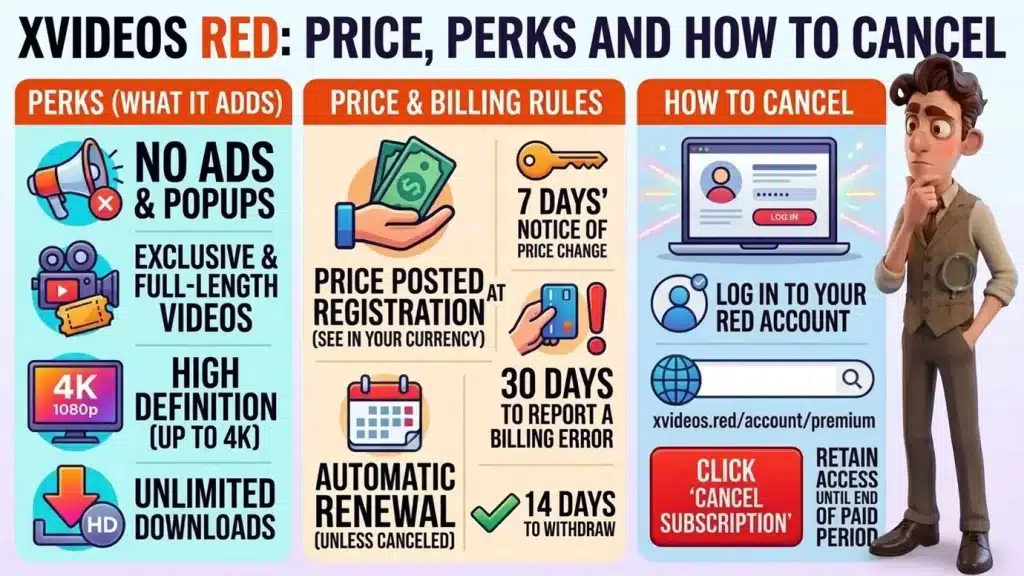
Red's home page spells out what the membership adds, and four perks stand out:
No ads: the page says it will "Hide all ads & popups" and keep the videos playing without interruptions.
Exclusive and full-length videos: it promises premium, full movies and never-before-seen content, plus a section called Red Originals with exclusive videos.
High definition: it says videos go up to 4K, and the sample thumbnails on the page carry a 1080p label.
Downloads: it promises unlimited HD downloads of full-length movies, again up to 4K.
The page also promises new full videos every day and counts its catalog in the hundreds of thousands: 617k complete videos in one place and 1M+ full videos in another, at the time of writing. Either way, there's plenty to dive into, so start with the scenes you love most.
Section 03
How Much Does XVideos Red Cost?
Red shows its price during sign-up, in your own currency, rather than on its public pages. Because the price and currency depend on where you sign up, this review doesn't quote one: read yours on the sign-up screen before you pay.
The terms explain why: they say Red posts its current membership fees as part of the account registration process. The terms add what the checkout must show you:
Four items: the subscription fee, the applicable taxes, the billing period and the next billing date, shown at checkout and confirmed after you buy.
Automatic renewal: the membership renews for successive billing periods of the same length unless you cancel it before the next renewal date.
Price changes: Red may change fees with at least 7 days' notice sent to your account email. A new fee applies from your next renewal at the earliest, and you can reject it by canceling before it takes effect.
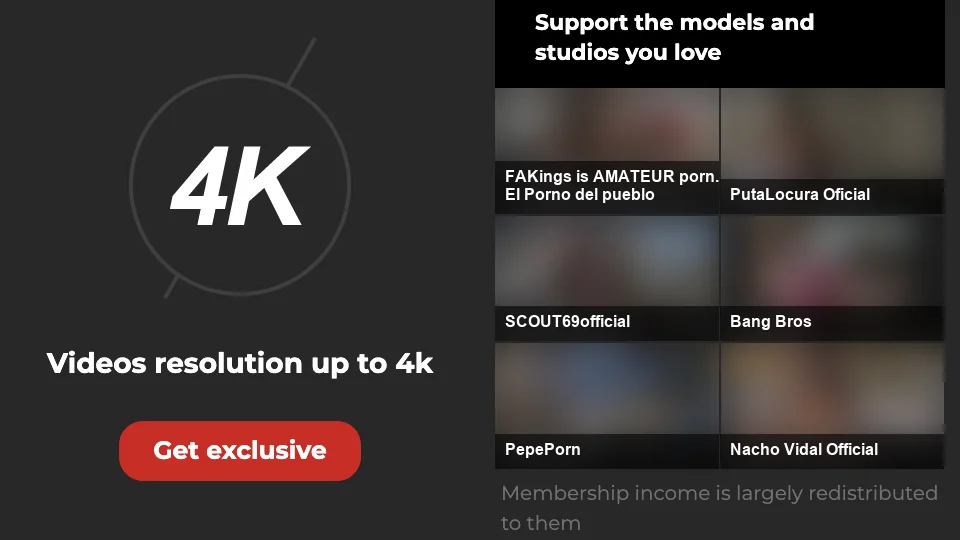
The Red page names the studios and uploaders its membership supports
Red is the paid upgrade, and the free site stays free. The terms say that to reach Red's premium content you need a user account and that Red charges a fee for it.
The sign-up form starts with a free account, and the terms say the fee is posted during registration and shown again at checkout, so you see the full price before you pay.
Red also points at where the money goes: its page says membership income is largely redistributed to the uploaders and studios it lists, and one of the names on that list is BangBros. If you're curious what that studio charges on its own site, BangBros plans, its rebill and how to cancel lays it out.
The terms mention one more price tag: channel memberships are priced on each channel's profile, not on the Red sign-up page. Treat each one as its own purchase.
Section 05
How Do the Free Site and Red Compare?
The table sets the free site against Red on price, contents and cancellation, with a last column on who each one suits. The facts come from the sites' own pages, and the last column is our own take.
Plan
Price
Includes
Cancel
Verdict
Free site
Free, per its FAQ
Free videos and an upgrade button to Red
Nothing to cancel
The place to start
Red
Posted at registration, not on the public pages
No ads, premium videos, Originals, downloads, up to 4K
Cancel subscription button in your account
For daily viewers who want no ads, exclusive videos and 4K downloads
The free site's header has a Premium button and its menu has a RED videos entry, so the upgrade is always one click away. That also means you can use the free site for a while first and decide with your own viewing habits in front of you.
Section 06
Can You Get a Refund?
Not as cash, but the terms give you other ways to be made whole. Red doesn't provide cash refunds; instead, it may grant credits in the form of free monthly memberships to resolve customer service issues, at its discretion.
The terms set out the rest of the money rules:
Card refunds: they are provided only under the rarest of circumstances, and the terms give persistent technical problems on Red's side as the example.
14 days to withdraw: the terms tell consumers they can withdraw from the contract for any reason within 14 days by writing to Red, which may charge for the service already used.
Billing errors: if you don't report an error within 30 days of it first appearing on a statement, the terms treat the charge as accepted, including for any inquiry your card issuer makes.
Chargebacks: you are responsible for reimbursing Red for card chargebacks, and the terms warn against falsely reporting a card as lost or stolen to avoid a payment.
Late payments: an account past due owes interest at a monthly rate of 1.5%, or the highest rate the law allows, whichever is lower.
Two dates keep you in full control: report a wrong charge within 30 days, and cancel before the renewal date.
Section 07
What Should You Check Before You Subscribe?
A subscription is cheapest when the decisions are made before the card number goes in. Run this short list on the checkout screen:
The address: the membership page you pay on should be xvideos.red, spelled exactly like that.
The four items: fee, taxes, billing period and next billing date, which the terms say are shown at checkout.
The renewal date: put it in your calendar the same day you pay.
The access line: the terms say canceling keeps your access until the end of the paid period, unless the checkout says otherwise, so read that line before you rely on it.
The card: use one whose statement you read each month, because the error window is 30 days.
You cancel from your account page, and the terms say you may cancel at any time. The route they list is short:
Log in to your Red account.
Open xvideos.red/account/premium.
Click the Cancel subscription button.
If you can't get into your account, the terms offer a second route: request the cancellation through the contact page at info.xvideos.red/contact. They add that Red may ask you to verify your identity before it processes the request.
Canceling stops future renewals, and no further recurring charges are made once it takes effect. You keep your access to the content until the end of the current paid period, unless stated otherwise at the time of purchase. Do it before the renewal date from section 07, because once a renewal has gone through, the refund rules from section 06 apply.
It is the paid membership of XVideos, on its own site at xvideos.red. The page promises no ads, exclusive videos, HD up to 4K and downloads.
Is XVideos Red free?
No. The free site is free, but the terms say Red charges a fee for its premium content. The sign-up form starts with a free account button, and the fee is posted during registration.
How much is XVideos Red?
The public pages show no price. The terms say Red posts its fees during account registration, so read the price there, in your own currency.
Does XVideos Red remove all ads?
That's the headline perk: the page says Red will "Hide all ads & popups" and keep videos playing without interruptions on mobile, desktop and TV.
How do I cancel XVideos Red?
Log in, open xvideos.red/account/premium and click Cancel subscription. If you can't log in, request it through info.xvideos.red/contact.
Do I keep access after I cancel?
Yes, until the end of the current paid period, unless the checkout says otherwise.
Can I get my money back?
Cash refunds aren't offered, but the terms list other options: credits in the form of free monthly memberships at Red's discretion, card refunds in rare cases such as persistent technical problems, and a 14-day right for consumers to withdraw from the contract.
Can the price change?
Yes. Red must give at least 7 days' notice by email, and a new fee applies from your next renewal at the earliest. You can reject it by canceling first.
Section 10
Is XVideos Red Worth Paying For?
Red is worth paying for if you watch on XVideos most days and want it ad-free, with exclusive full-length videos, 4K and downloads on top. The terms are clear about renewal, cancellation and refunds, and the price waits for you at sign-up, so read it there and pay with confidence.
Who It's For
You already use the free site every day, you want it ad-free with exclusive full-length videos and 4K downloads, and you'll note the renewal date on the day you pay.
US-based web developer and creator of PornPlanner.com. Every part of the site is built and maintained with usability, speed and reliability in mind — code first, hype never.
Curated by experts and updated regularly — our directory covers free porn tubes, premium porn sites, live cams, AI porn and dozens of other categories.